Qualstar logo
Product ReleaseEnterprise ITArticle

Tape Library Throughput per Square Foot: LTO-10 Libraries Compared

Slot-dense tape libraries sell you shelf space. Read and write speed comes from the drives. We compared four single-cabinet LTO-10 libraries on throughput per square foot and on how long each takes to read back a full cabinet.

Published in Archive · 12 min read

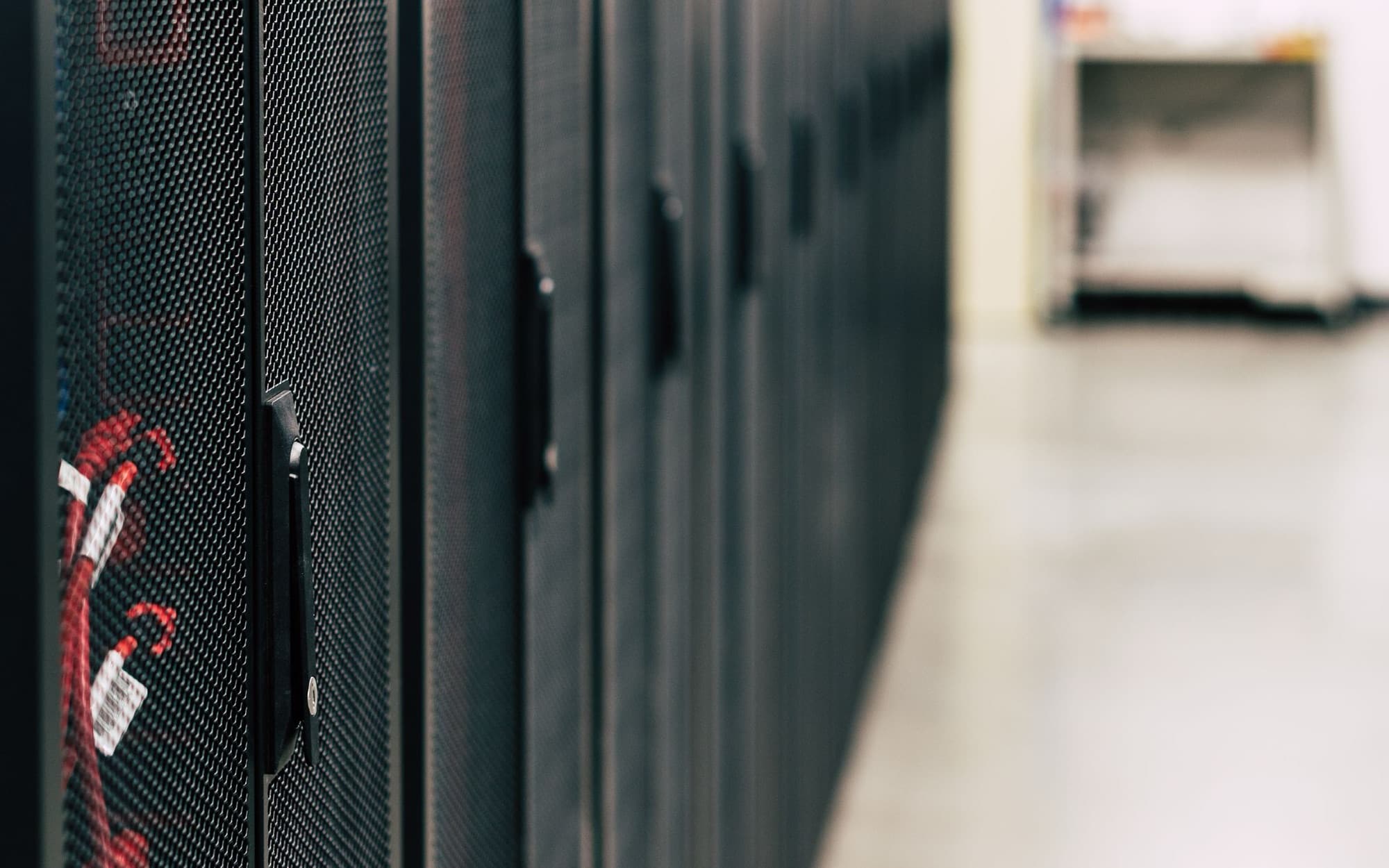
Row of rack cabinets along a data center aisle
Each cabinet takes a fixed patch of floor. The drives inside decide how much data that floor can move.

A slot-dense tape library sells you shelf space. Read and write speed comes from the drives. When you size an LTO-10 library, you are deciding how to split one patch of data center floor between the two.

We built this comparison from each vendor's own datasheet. The Qualstar Q1000+ puts 24 full-height LTO-10 drives on 7.74 sq ft, the most drives per square foot of the single-cabinet libraries we compared.

The slot-dense cabinets from Quantum, IBM, and Spectra hold more data per square foot, and for some archives that is the number that matters. Below is the math, where each library wins, and how to work out how many drives you need.

What does tape library density measure?

Tape library density usually means native capacity per square foot of floor. By that measure, the Quantum Scalar i7 RAPTOR leads the four single-cabinet LTO-10 libraries we compared at about 9.0 PB per square foot with 40 TB media.

Capacity density counts slots, the shelf spaces that hold cartridges. A cartridge in a slot does nothing until the robot carries it to a drive. The drives are the only parts that read or write data.

So we added two metrics that measure speed:

  • Throughput per square foot: the combined native speed of every drive in the cabinet, divided by the cabinet's floor space. It shows how much data per second each square foot of floor can move.
  • Full-cabinet read time: the cabinet's native capacity divided by its native throughput. It is how long the drives would take to read every cartridge once, all running at full native speed.

Native speed is the drive's speed on uncompressed data. We use it throughout because compressed figures depend on the data and differ by source.

How we compared LTO-10 tape libraries

Every library got the same basis: 400 MB/s native per full-height LTO-10 drive, 40 TB native cartridges, and floor space equal to the vendor's published cabinet width times depth.

  • Full-height drives only. As of September 2026, LTO-10 drives ship full-height only. Vendors have announced half-height drives, but none are on sale yet.
  • Native speed. The 400 MB/s rate comes from the LTO Program and matches IBM's Diamondback datasheet.
  • Best case. Throughput is drives times 400 MB/s, with every drive at full speed. Real jobs run slower because of file sizes, the network, and backup software.
  • Cabinet footprint only. Floor space leaves out service clearance and aisles.
  • Vendor maximums. Quantum and Spectra list maximum drives and maximum slots separately. We used both, which may overstate the slots you get in a full-drive build. For the Q1000+, we used the 24-drive configuration, which has 1,052 slots.

HPE's published specs for the MSL6480 and MSL3040 list LTO-9 as the newest supported drive, so we left them out of the LTO-10 math.

LTO-10 tape library comparison: throughput per square foot

The Qualstar Q1000+ moves about 1.24 GB/s per square foot, the most of the single-cabinet LTO-10 libraries we compared. That is 1.4x the Quantum Scalar i7 RAPTOR, 1.75x the IBM Diamondback, and 2.2x the Spectra Cube.

Single-cabinet LTO-10 tape libraries at their maximum full-height drive count. Sources: Qualstar Q1000+ datasheet Rev 111125; BDT ORION, IBM Diamondback datasheet (April 2026); Quantum Scalar i7 RAPTOR datasheet DS00559A-v14; Spectra Cube datasheet V4-110425. Assumes 400 MB/s native per drive, 40 TB native cartridges, all drives at full speed, and floor space as published width x depth.
LibraryFloor spaceFull-height drivesNative throughputThroughput per sq ftNative capacityCapacity per sq ftCartridges per driveFull-cabinet read time
Qualstar Q1000+ (48U)7.74 sq ft249.6 GB/s (34.6 TB/hr)1.24 GB/s (4.5 TB/hr)42.1 PB (1,052 slots)5.4 PB44about 51 days
Quantum Scalar i7 RAPTOR9.01 sq ft208.0 GB/s (28.8 TB/hr)0.89 GB/s (3.2 TB/hr)80.6 PB (2,016 slots)9.0 PB101about 117 days
IBM Diamondback7.90 sq ft145.6 GB/s (20.2 TB/hr)0.71 GB/s (2.6 TB/hr)61.9 PB (1,548 data cartridges)7.8 PB111about 128 days
Spectra Cube11.32 sq ft166.4 GB/s (23.0 TB/hr)0.57 GB/s (2.0 TB/hr)66.8 PB (1,670 slots)5.9 PB104about 121 days

Floor space excludes clearance and aisles. Real transfer rates are lower than full native speed. Quantum and Spectra list maximum drives and maximum slots separately; we used both, which may overstate slots in a full-drive build. The Q1000+ row uses the 24-drive configuration (1,052 slots). The Diamondback row uses IBM's recommended 1,548 data cartridges. Full-cabinet read time is native capacity divided by native throughput.

The difference comes from the number of drives per rack. The Q1000+ is 23.6 in wide and 47.2 in deep, about the footprint of the Diamondback at 7.90 sq ft. The Q1000+ fits 24 full-height drives in that space. The i7 RAPTOR takes up to 20, the Cube up to 16, and the Diamondback up to 14.

Watch the cartridges-per-drive column. Each Q1000+ drive serves about 44 cartridges. In the other three libraries, each drive serves 101 to 111. Every cartridge has to pass through a drive to be read, so more cartridges per drive means a longer wait when a big job lands.

Bar chart of LTO-10 tape library throughput per square foot: Qualstar Q1000+ 1.24 GB/s, Quantum Scalar i7 RAPTOR 0.89, IBM Diamondback 0.71, Spectra Cube 0.57
400 MB/s native per drive, all drives at full speed, floor space as published width x depth.View full size

How long does it take to read back a full tape library?

At full native speed, a Q1000+ with 24 LTO-10 drives can read back, or restore, its full 42.1 PB in about 51 days. The i7 RAPTOR takes about 117 days, the Cube about 121, and the Diamondback about 128.

Part of that gap is size, since the slot-dense cabinets hold more data. Per petabyte, the gap remains. Reading 1 PB takes the Q1000+ about 29 hours, the i7 RAPTOR about 35, the Cube about 43, and the Diamondback about 50. Most jobs touch part of the archive, so you'll use hours per petabyte more often.

You will rarely read a whole library end to end. Three jobs come close, and drive count sets the pace of each.

Restores after ransomware. When ransomware encrypts production systems, the offline tape copy is often the one you can trust. How fast the business gets back to work depends on how many drives read that copy at once.

Feeding AI and analytics jobs. Training and analytics runs pull large data sets in bulk from the cold tier, the storage that holds data you rarely touch. More drives get the data to compute sooner.

Generation migrations. LTO-10 drives read and write LTO-10 media only. Moving an LTO-9 archive forward means reading every LTO-9 cartridge through LTO-9 drives and writing it to LTO-10. The number of drives on each side sets how long that takes.

The Q1000+ runs LTO-9 and LTO-10 drives in the same rack, so both ends of the copy live in one library. We cover the planning in the LTO-10 Reset and on our migration lifecycle page.

Bar chart of hours to read 1 PB at full native speed: Qualstar Q1000+ about 29, Quantum Scalar i7 RAPTOR about 35, Spectra Cube about 43, IBM Diamondback about 50
Every drive in the cabinet reading at 400 MB/s native. Real jobs run slower.View full size

When more shelf space per square foot is the right call

If you write data once and rarely read it, a high-density tape library (more capacity per square foot) can serve you better than more drives. On that measure, the i7 RAPTOR (about 9.0 PB per sq ft) and the Diamondback (about 7.8 PB) beat a Q1000+ with all 24 drives (about 5.4 PB).

Quantum says the i7 RAPTOR "provides the highest density of any tape library of any kind." It leads our table on capacity per square foot, with 80.6 PB native in one rack of 9.01 sq ft. It does not expand beyond that one rack.

IBM calls the Diamondback "a single eight-square-foot library." It holds 61.9 PB native on 7.90 sq ft. For a compliance archive you write once and read only for an audit, that is a strong design.

These cabinets suit archives you read only on request, and sites where floor space is the tightest limit. If you will never run 24 drives at once, you don't need to pay for them.

The Spectra Cube also takes up to 30 half-height drives. Half-height LTO-10 drives aren't on sale yet, so we counted its 16 full-height drives.

What about frame-based libraries?

A frame is one cabinet in a tape library built from several cabinets side by side. A Spectra TFinity Plus drive frame reaches about 1.11 GB/s per square foot, close to the Q1000+, but you can only buy that frame as part of a library of 3 or more frames. An IBM TS4500 D55 drive frame reaches about 0.63 GB/s per square foot.

Spectra TFinity Plus. One drive frame is 29 in by 43 in, or 8.66 sq ft, and holds up to 24 drives and 890 slots. Its drives would read that frame's cartridges in about 43 days. The smallest library has 3 frames, so the real floor space behind each drive is higher.

The library tops out at 168 drives or 56,400 slots. One library can't reach both at once.

IBM TS4500. A D55 drive frame is 30.8 in by 47.72 in (10.21 sq ft), with up to 16 drives and 970 slots. That slot count requires IBM's high-density license and doesn't apply when the D55 is the first frame in the library. The library grows to 18 frames and 128 drives.

Quantum Scalar i6000. It scales to 192 drives and 14,100 slots across up to 20 modules. Quantum publishes no per-frame drive count, so we could not work out a per-square-foot figure.

Spectra Stack. It uses 6U modules in your own 42U rack. A full rack holds 21 full-height drives and 560 slots. Floor space depends on your rack, so it isn't in the table.

Frame libraries make sense when you need more drives or slots than one cabinet holds, or when you already run one and want to grow it.

How many tape drives do you need?

At full native speed, moving 1 PB a week takes about 5 LTO-10 drives, and moving 1 PB a day takes about 29.

  • 100 TB per day: about 3 drives
  • 1 PB per week: about 5 drives
  • 10 PB in 30 days: about 10 drives
  • 1 PB per day: about 29 drives

Method: divide the job by what one drive moves at 400 MB/s in the time allowed, then round up. One LTO-10 drive writes 1 PB in about 29 days. 24 drives do it in about 29 hours. Real jobs run slower, so plan for headroom.

Size the drives for the hardest job you expect, such as a full restore or a migration deadline. Then size the slots for the archive.

Check the rest of the path too. A 10 Gb/s network link moves 1 PB in about 9.3 days at full speed. A rack full of drives needs servers and networking built to keep up.

Where the Q1000+ fits

The Q1000+ fits buyers who need to read and write a lot of data from a small footprint: 24 full-height LTO-10 drives, 9.6 GB/s native and 42.1 PB on 7.74 sq ft.

There is a tradeoff. The 24-drive build comes with 1,052 slots. The 1,115-slot maximum (44.6 PB native with 40 TB media) applies to builds with up to 3 drives. You can buy the Q1000+ for shelf space, but the slot-dense cabinets above hold more per square foot.

It runs LTO-9 and LTO-10 drives in the same rack, connects over SAS or Fibre Channel, has a REST API for automation, and supports 2N (fully redundant) power. The library draws under 300 W at peak per rack. Drives add their own power: IBM lists 35.8 W per LTO-10 drive while reading or writing.

When a rack fills, you add racks. Each rack has its own robot, and how the racks work together depends on your software. For planning at a larger scale, see how to store petabytes to exabytes of data.

Whichever library you choose, your cartridges stay portable. LTO is an open standard, so any vendor's LTO-10 drive reads your LTO-10 cartridges. The libraries around the drives are what differ, so compare them on drive count, slots, floor space, service, and price. For what tape costs against disk and cloud, see our TCO breakdown.

Frequently asked questions

What is throughput per square foot for a tape library?

It is the combined native speed of every drive in a cabinet divided by the cabinet's floor space. With 24 LTO-10 drives at 400 MB/s on 7.74 sq ft, the Qualstar Q1000+ reaches about 1.24 GB/s per square foot.

How long does it take to read a full LTO-10 tape library?

At full native speed, a full Q1000+ with 24 drives reads back in about 51 days, and the Quantum Scalar i7 RAPTOR, Spectra Cube and IBM Diamondback take about 117 to 128 days. Per petabyte, that is about 29 hours on the Q1000+ and about 35 to 50 hours on the others. Real jobs run slower.

Which LTO-10 tape library holds the most data per square foot?

Of the single-cabinet libraries we compared, the Quantum Scalar i7 RAPTOR leads at about 9.0 PB per square foot with 40 TB media. The IBM Diamondback is next at about 7.8 PB. Both suit archives you rarely read.

How many LTO-10 drives do I need to restore 1 PB in a day?

About 29 drives at full native speed, and more once you allow for real-world slowdowns. That is more than any single cabinet in our comparison holds.

Can LTO-10 drives read LTO-9 tapes?

No. LTO-10 drives read and write LTO-10 media only, so you need LTO-9 drives to read an LTO-9 archive. The Q1000+ runs both generations in the same rack.

Who makes LTO-10 tape libraries?

Single-cabinet LTO-10 libraries include the Qualstar Q1000+, Quantum Scalar i7 RAPTOR, IBM Diamondback and Spectra Cube. Frame-based options include the Spectra TFinity Plus, IBM TS4500, and Quantum Scalar i6000. HPE's published specs for the MSL6480 and MSL3040 list LTO-9 as the newest supported drive.

Send us your current capacity, LTO generation, growth rate, and the restore window you need to hit. We will size the drives, slots, and racks, show you the math, and tell you plainly if a slot-dense cabinet fits better. Contact our team or call 877.886.2758.

Sources

Best-fit library

Q Series Tape Libraries

Compare the Q8, Q24, Q40, Q80, and Q1000+ LTO tape libraries.

Compare libraries

Related posts

Product ReleaseGeneral

Advantages of Modern LTO

Qualstar's CTO on what modern LTO tape does today: the cold storage backbone for cloud hyperscalers, and lower cost than disk and flash at scale.

Indexed from @Qualstar_Channel videos · 4 min read

Product ReleaseGeneral

What you need to know about LTO10

Qualstar's CTO on LTO-10 tape: no pre-formatting for new cartridges, the tilted head design, and what the changes mean for tape libraries and restores.

Indexed from @Qualstar_Channel videos · 4 min read